Forum
A Forum is a discussion the learner takes part in, and it can be graded. Today there is a single forum type, Simple.
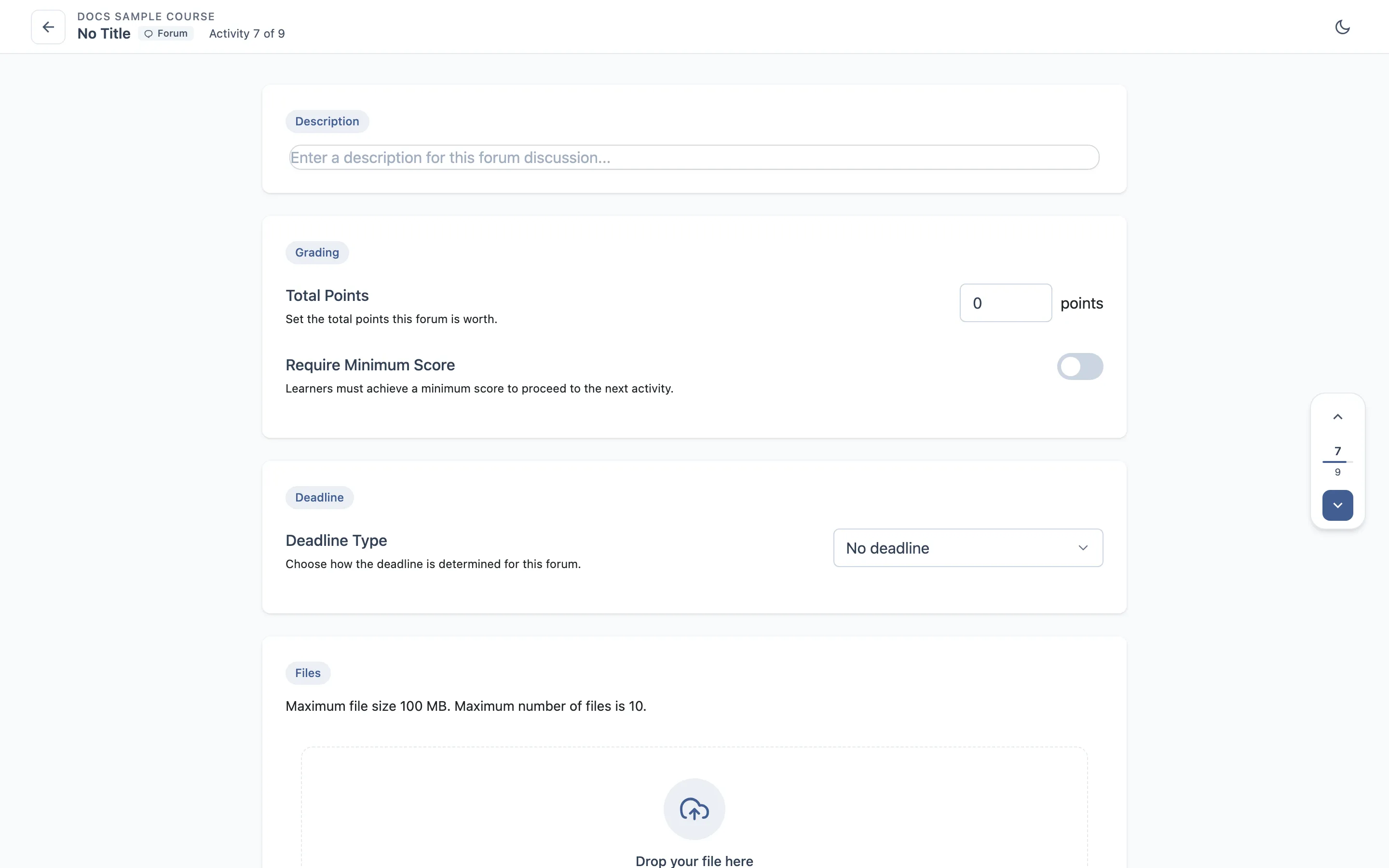
The editor
A description — the prompt the learner responds to — optional attached media, a deadline, and the shared grading settings.
The deadline works exactly as it does in the assignment: no deadline, a fixed date, or a time limit counted in days, weeks or months.
Steps
- Write a description and attach a file.
- Set Points and a minimum score.
- Set a fixed date deadline.
- As a learner, post to the forum, then reply to your own post.
- Edit one of your posts, then delete another.
- As a second learner, reply to the first learner’s post.
- As an instructor, grade the participation.
What to check
- Posts appear in the order they were made, with the right author and time.
- Editing a post updates it in place — no duplicate.
- Deleting a post removes it and its replies coherently.
- Posting counts towards progress.
- The deadline blocks or allows posting as configured.
- The grade reaches the gradebook and the learner.
Where it usually breaks
- A post that survives a delete, or takes unrelated replies with it.
- The author or timestamp on a reply being wrong.
- Posting still allowed after a passed deadline.